Introduction Creators in 2025 aren’t just posting content for likes They’re building businesses, launching products, and designing systems that generate…


If you’ve ever wished your niche community had a single place to discover jobs tailored for them, you’re not alone. Creators, newsletter writers, and community leaders often hear the same question from their audience:
“Where can I find jobs like this?”
The answer is simple: build a job board. But if you’re thinking it requires months of coding, servers, and complex workflows, think again.
AI coding tools let you create a fully functional job board without writing a single line of code, and with Artha Job Board, you can host, manage, and scale your board effortlessly.
This guide will take you from zero to a live job board in a way that’s simple, actionable, and even fun.
A job board is an online platform where employers post job openings and candidates browse and apply. It’s more than just listings. It’s a hub of opportunities, community engagement, and trust.
Unlike generic platforms, a niche job board targets your audience’s specific needs, creating relevance and value.
Job boards are not just community tools. They are revenue engines. You can charge for:
This means your audience’s trust translates directly into a sustainable business.
A job board is sticky. People return repeatedly, checking for new opportunities. By providing a centralized, curated source of jobs, you keep your audience engaged and coming back.
When you run a niche job board, you become the authority in your domain. Your audience sees you not just as a content creator, but as a facilitator of meaningful opportunities.
Generic job sites can’t provide the same tailored experience as a niche board. You control the categories, filters, and features, and you decide what “quality” means for your listings.
AI coding tools are platforms that remove the tech barrier entirely. Here’s why they’re perfect for building a job board:
Popular AI coding tools include platforms like Replit Agent, Lovable, Bolt, v0 by Vercel, and Cursor. Each offers similar capabilities with slight variations in features and pricing.
Traditional coding offers flexibility but comes with headaches:
AI coding tools simplify all of this, letting you focus on the part that matters: curating listings and growing your community.
Building your job board with AI coding tools is surprisingly straightforward. Think of it as guiding a layman through each click, each prompt, and each configuration.
Tip: Most platforms work similarly. Choose one with good documentation and community support.
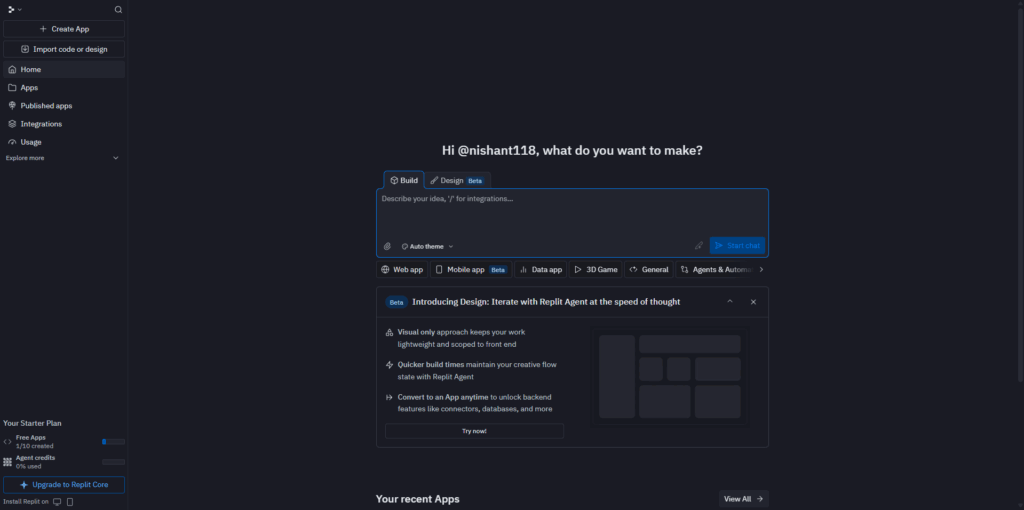
“Create a home page for a job board focused on [Your Niche]. Include a header, featured jobs section, search bar, and call-to-action buttons for employers (‘Post a Job’) and job seekers (‘Browse Jobs’). Make it mobile-friendly with a professional design.”
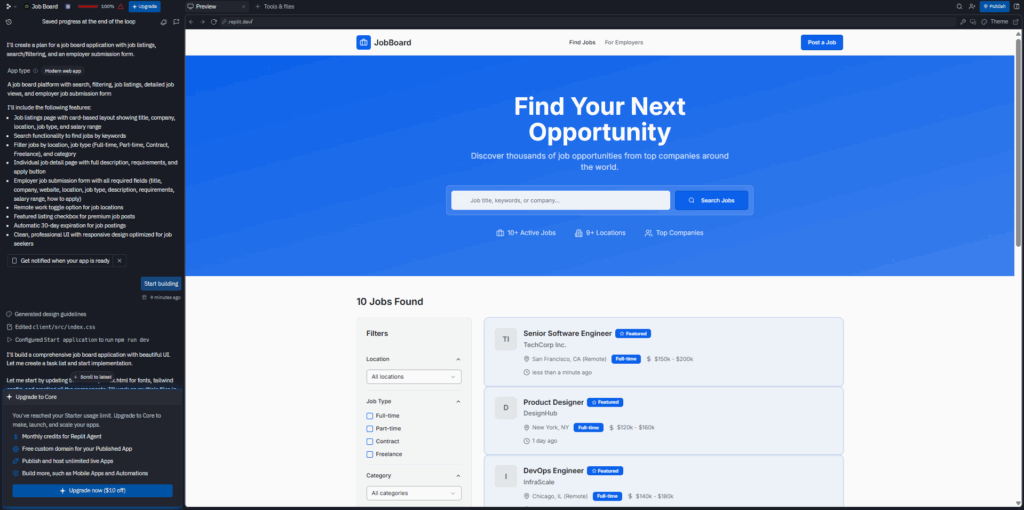
What you’ll see: Within 1-2 minutes, your homepage will appear in the preview window with sample jobs already displayed.
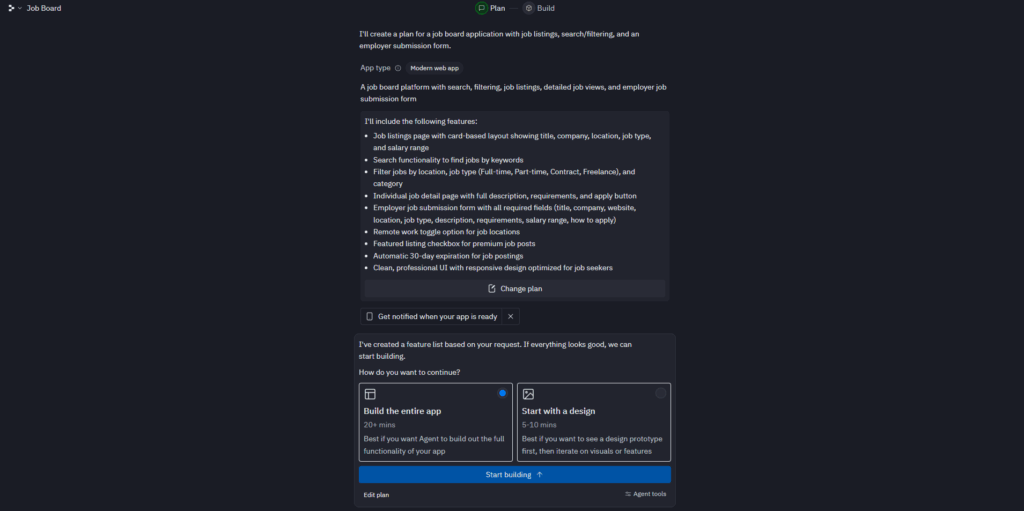
“Create a job listings page with search and filters by location, job type (Full-time, Part-time, Contract, Freelance), and category. Each job card should show title, company name, location, job type, and salary range. Link each card to a detailed job view page.”
Tip for beginners: Only require essential fields. The simpler the form, the more jobs will get posted.
What the AI builds: A complete form with validation that saves submissions to your database automatically.
“Set up a database to store job listings with fields for title, company, location, job type, description, salary, status (pending/approved/expired), and posting date. Connect the job submission form to this database.”
What happens: The AI creates and connects a database (usually Supabase or similar) without you touching any backend code.
Tip: Think of this as rehearsal. Check every link, button, and form before publishing.
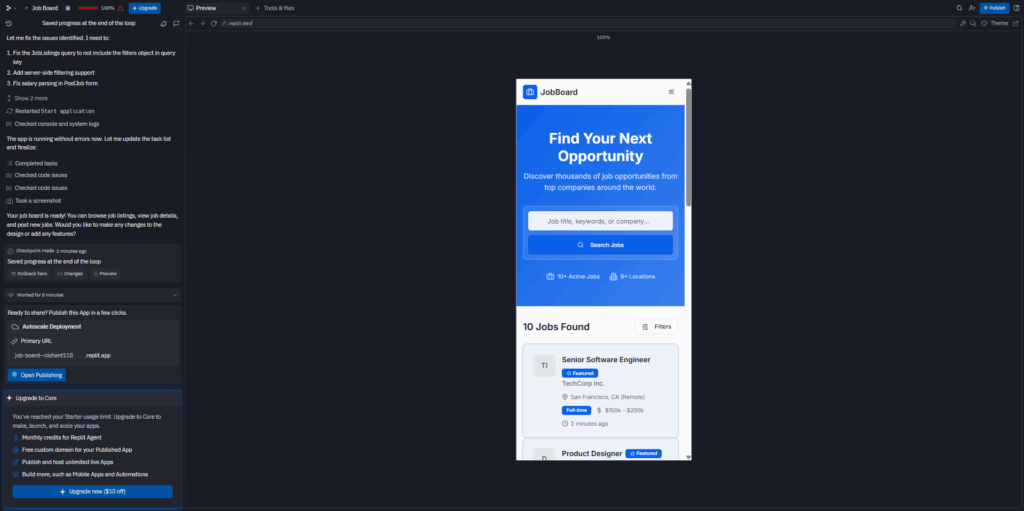
Critical insight: An empty board feels dead. Always maintain at least 10-15 active listings to create momentum.
AI coding tools handle the technical side. Your strategic input drives real value.
Building your job board with Artha gives you extra tools that AI coding platforms don’t include:
Learn more at Artha Features
Building a job board has never been easier. With AI coding tools, you focus on creating value, not writing code. With Artha Job Board, you ensure it’s hosted, maintained, and ready for growth with professional-grade features.
Your niche is asking for this. Don’t make them wait. Launch your job board today, curate listings, and become the go-to hub for your audience’s opportunities.
Explore Artha Job Board to start building.